

Getting into an online casino account should be straightforward, but a missed character, outdated link or forgotten password can make the process frustrating. This guide explains how to complete a 1win website login, what UK players should check before using the site, and how to troubleshoot common access problems. It also covers account security and withdrawals, without assuming that every feature or payment method is available to every visitor.
Online gambling rules depend on where a player is located and which operator holds the relevant licence. Before registering or depositing, UK residents should verify the operator’s current licensing status with the UK Gambling Commission’s public register and check the terms displayed on the website. Do not treat a brand name, search result, or promotional page as proof that a site is authorised to serve customers in Great Britain.
Finding the correct login page
Start by typing the address you have independently verified into your browser, or use a bookmark you created after checking the site. Avoid login links in unsolicited emails, social-media messages and adverts: lookalike pages can be designed to capture usernames and passwords. Check the spelling of the domain and look for a secure connection indicator, while remembering that a padlock alone does not prove a website is legitimate.
If a page will not load, do not immediately follow a link from an unfamiliar source. The operator may have changed its domain, the service may be unavailable in your location, or your network settings may be interfering. Consult official operator communications and local rules. A VPN should not be used to get around geographic restrictions or account controls.
Step-by-step 1win website login
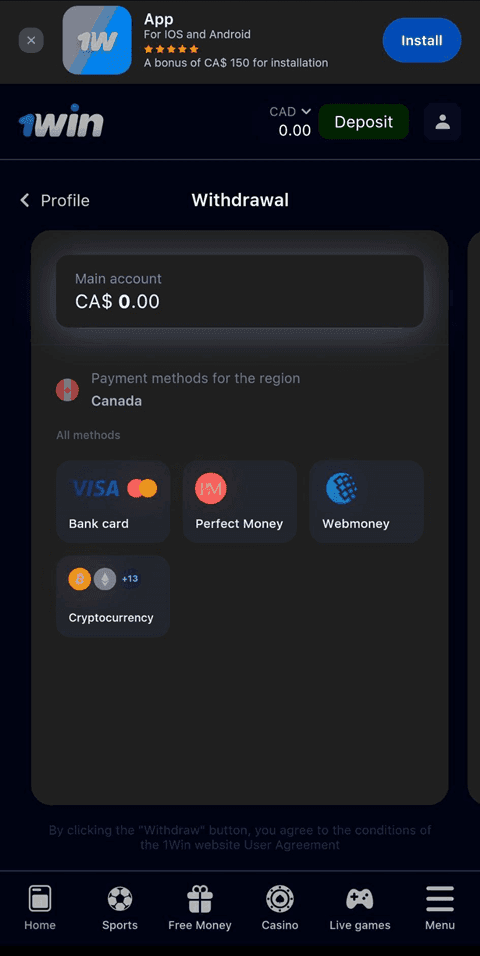
- Open the verified website. Check the address carefully before entering any personal information.
- Select “Log in” or the equivalent account button. The wording and page layout can change between desktop and mobile versions.
- Enter your registered details. Depending on the available sign-in options, the site may ask for an email address, phone number, username or another account identifier, along with your password.
- Complete any security check. If the operator requests a one-time code or verification step, use the official method associated with your account. Never share a code with another person, including someone claiming to be support.
- Review the session and sign out when finished. On a shared device, do not save your password, and close the browser after logging out.
Use the same sign-in route you selected when registering. If you created an account through a particular provider or method, a different login option may not recognise it. Do not create a second account to work around a login issue: duplicate-account rules can affect access to funds and verification.
Forgotten password or account access problem?
Choose the password-recovery link on the verified login page and follow the instructions sent to the contact details registered to your account. Check spam or junk folders, confirm that you entered the right email address or phone number, and allow time for a message to arrive. If you no longer control the registered contact method, contact the operator through its official support channel and be prepared to complete identity checks.
For a password reset, choose a unique passphrase that you do not use on other websites. A reputable password manager can help generate and store it. If you suspect someone else has accessed your account, change the password from a trusted device, secure the email account linked to it, and notify the operator. Review recent account activity and ask support about available steps to protect the account.
Common fixes
- Check for typing errors: confirm the email, phone number or username and make sure caps lock is not changing the password.
- Refresh or update: close and reopen the page, update your browser, or try another current browser.
- Clear site data carefully: removing cookies may resolve a stale session, but it will also sign you out of websites.
- Check the connection: try a reliable network, but do not use a VPN to bypass location checks.
- Pause after repeated failures: multiple attempts may trigger a temporary security lock. Follow the on-screen instructions or ask official support for help.
Security checks and UK considerations
Operators commonly request identity, age and payment verification to meet legal or fraud-prevention requirements. Use only the account’s official verification area or a support channel reached through the verified website. Do not send identity documents to an address supplied by a stranger or post them publicly. Read the privacy notice to understand how submitted information is handled.
Anyone gambling in Great Britain should check whether the operator is licensed for that market and understand the protections that apply. The UK Gambling Commission provides a public register and information about licensed operators. If a site is not authorised to serve customers in your jurisdiction, do not assume that UK consumer protections or dispute routes will apply. Check the terms, eligibility rules, and any restrictions before sharing data or depositing money.
Responsible gambling tools may include deposit limits, time reminders, time-outs and self-exclusion, though availability varies by operator and jurisdiction. Set limits before playing and do not gamble with money needed for bills or essential expenses. If gambling is causing harm, stop using the account and seek support from an appropriate UK service, such as GamCare or the National Gambling Helpline. These services can offer confidential guidance.
After login: payments and withdrawal expectations
Once signed in, check that the account name and contact details are correct, then review the cashier’s current payment options, limits, fees and processing times. Payment methods can depend on location, verification status and the operator’s terms; availability shown to one user may not apply to another. Make sure a payment method is in your own name and keep records of deposits and withdrawals.
Search phrases such as quick withdrawal at 1 win UK casino may appear in promotional copy, but they are not a guarantee of speed or availability. A withdrawal can be delayed by identity checks, payment-provider processing, weekends, account reviews or incomplete information. Read the withdrawal rules before depositing, including any applicable minimums, maximums, fees and verification requirements. If a transaction is pending beyond the stated timeframe, contact support through the official site and keep the reference number.
Questions and answers
Why can’t I log in even though my password seems correct?
Check that you are using the correct account identifier and sign-in method. A temporary lock, an outdated session, a changed password or a service interruption can also prevent access. Use the official recovery process rather than repeatedly guessing.
Can I log in from my phone?
If the verified website supports mobile access, open it in an up-to-date browser and follow the same security steps. Avoid installing an app from an unofficial download page. If you use an app, verify its source and permissions before signing in.
What should I do if I receive a login code I did not request?
Do not share or enter the code on a page you did not open yourself. Change your password using the verified website, secure your email account, and contact official support if you see unfamiliar activity.
Does signing in mean I can gamble in the UK?
No. Access to a login page does not establish that an operator is authorised to provide gambling services where you live. Check the current UK Gambling Commission register and the operator’s eligibility terms before creating an account or wagering.
A practical final checklist
- Verify the web address and the operator’s current status before entering credentials.
- Use your original sign-in method and a unique password.
- Keep one-time codes private and use only official support channels.
- Complete required verification through the secure account area.
- Read payment and withdrawal terms, and set gambling limits before playing.
- Log out on shared devices and seek help if gambling is no longer enjoyable or manageable.
A secure login is only one part of using an online casino responsibly. Confirm that the service is legally available to you, protect your personal details, and make decisions based on the current terms rather than promotional claims. If access or a transaction remains unresolved, document the issue and contact the operator using details published on its verified website.
